Across France, commercial call centres still manage to slip through the net, ringing mobiles again and again. Between new restrictions on cold calling and clever Android settings, there is now a way to largely shut the door on these nuisance calls for good.
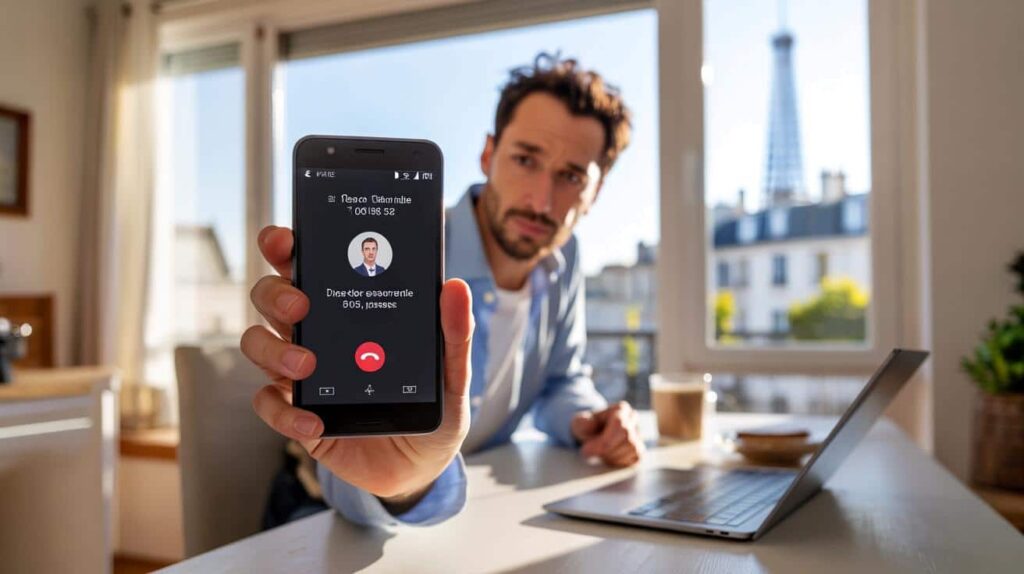
Why telemarketing calls are still a daily headache
Telemarketing remains one of the biggest annoyances of modern phone use. A 2023 study by French consumer group UFC-Que Choisir found that more than a third of people receive at least one unwanted call every single day. Three quarters are contacted at least once a week.
The tactic is simple: call centres use automated diallers and vast lists of phone numbers. They bet that a small percentage of people will stay on the line long enough to hear a sales pitch for insurance, electricity, renovation work or telecom contracts.

Even with tighter rules, many consumers feel their phone has become a permanent shop window they never asked for.

France has tightened its laws, but the situation illustrates a broader issue that also affects users in the UK, US and elsewhere: regulation alone rarely stops nuisance calls. You need tools and habits on your device as well.
What the new French rules actually change
Since March 2023, France has imposed strict time slots for commercial cold calls. Telemarketers can only ring from Monday to Friday, between 10 am and 1 pm and between 2 pm and 8 pm. No calls are allowed on Saturdays, Sundays or public holidays unless the user has given explicit consent.
On top of that, each company can only attempt to contact the same person four times a month. If you refuse further communication during a call, the firm must stop trying for at least 60 calendar days.
A new step came into force on 28 January 2025: sales calls without prior consent from the consumer are banned. In theory, businesses now need your approval before they place a single marketing call.
The legal baseline has flipped: no consent, no cold call – at least on paper.
Yet many people report that the call volume has not dropped as much as they hoped. Some firms ignore the rules, others operate from abroad, and enforcement takes time. That is where technical solutions on your Android phone become a powerful second line of defence.
The hidden clue in the number: special prefixes for telemarketing
A key change, often overlooked, came from the French telecoms regulator ARCEP. Since 2023, it has reserved specific number ranges for telemarketing platforms.
Prefixes used by call centres in metropolitan France
For mainland France, companies engaged in commercial cold calling are supposed to use numbers beginning with the following prefixes:
- 0162
- 0163
- 0270
- 0377
- 0424
- 0425
- 0568
- 0569
- 0948
- 0949
For the overseas territories, ARCEP has set dedicated prefixes as well, for example:
- 09475 for Guadeloupe, Saint-Martin and Saint-Barthélemy
- 09476 for French Guiana
- 09477 for Martinique
- 09478 for Réunion
- 09479 for Mayotte
Standard mobile prefixes 06 and 07 are intended for personal use only. If you receive a commercial call from a number starting with 06 or 07 in France, that is a clear breach of the rules and can be reported to the national “Bloctel” platform.
Once you know the prefixes reserved for telemarketing, your phone can use them as a filter and automatically hang up.
Turning your Android phone into a call filter
On Android, you can block individual numbers manually. But with telemarketing, call centres rotate through hundreds of numbers, making one-by-one blocking almost pointless. The smarter solution is to block entire ranges of numbers, based on those ARCEP prefixes.
French Android users now have access to a free app that does exactly that: Préfixe Bloqueur (literally “Prefix Blocker”). It can automatically reject any incoming call whose number starts with a prefix you have defined.
Step 1: install the right app
To use this approach you need to download the app “Préfixe Bloqueur – Anti Spam” from the Google Play Store. The publisher to look for is AWERTYS, which states it does not collect or sell user data.
- Open the Play Store on your Android phone.
- Search for “Préfixe Bloqueur – Anti Spam”.
- Check that the developer shown is AWERTYS.
- Tap Install.
Once installed, the app will guide you through a short introduction describing its privacy approach and basic features.

Step 2: set it as your default call screening app
For Préfixe Bloqueur to intercept calls, Android needs to route call information through it. That means you have to set it as the default app for caller ID and spam protection.
- Launch Préfixe Bloqueur.
- Tap “Set as default app” when prompted.
- In the list of available apps, pick “Préfixe Bloqueur”.
- Confirm by tapping “Set as default”.
Without this step, the app cannot see incoming numbers in real time and will not block anything.
Step 3: grant permissions carefully
The app then asks for several Android permissions. They may look intrusive at first sight, but they are needed for the app to work at all.
- Allow access to your contacts so the app can spare friends, family and colleagues from being blocked.
- Allow it to place and manage phone calls, which is necessary for the app to interrupt a call before it reaches you.
- Scroll through the final information screens and tap the button to access the main interface.
According to the developer, the app uses permissions only locally on the device. Contacts and call data are not exported to external servers.
Building your own blacklist of prefixes
The power of Préfixe Bloqueur lies in its prefix-based blacklist. Rather than storing thousands of individual numbers, it simply blocks anything that begins with a set of chosen digits.
Where to add the blocked prefixes
The interface is not the most intuitive, so the path matters:
- From the app’s home screen, tap the “Blocked” tab at the bottom right.
- At the top, make sure you are in the “Blacklist” section.
- Tap the “Add” button.
- Select the “Prefix” option.
In the input bar at the top, you will now add the prefixes reserved for telemarketing. Because most mobile operators display numbers in international format, you should enter them with +33 (France’s country code), but without the leading zero.
| Domestic prefix | Format to enter (+33) | Use |
|---|---|---|
| 0162 | +33162 | Telemarketing – mainland |
| 0163 | +33163 | Telemarketing – mainland |
| 0270 | +33270 | Telemarketing – mainland |
| 0377 | +33377 | Telemarketing – mainland |
| 0424 | +33424 | Telemarketing – mainland |
| 0425 | +33425 | Telemarketing – mainland |
| 0568 | +33568 | Telemarketing – mainland |
| 0569 | +33569 | Telemarketing – mainland |
| 0948 | +33948 | Telemarketing – mainland |
| 0949 | +33949 | Telemarketing – mainland |
The app lets you add each prefix one after the other. It takes a few minutes, but you only need to do this once. After that, any call starting with those digits will be rejected automatically and typically redirected to voicemail.
Once your blacklist is set up, your phone rings far less – and you stay in control of who actually reaches you.
Going further: mixing legal, technical and personal shields
Blocking prefixes is highly effective against large French telemarketing platforms. Still, it is not a magic cure. Some aggressive marketers use non-compliant numbers, foreign providers or internet-based calling systems that change identity constantly.
To tighten your shield even more, you can combine several layers:
- Use the national opt-out register such as Bloctel in France or the Telephone Preference Service (TPS) in the UK.
- Activate Google’s built-in spam filtering in the default Phone app on Android, which flags or silences suspicious calls.
- Refuse verbal consent during calls and keep a record of companies that ignore your refusal.
- Report repeated violations to consumer regulators when possible.
On some Android phones, you can also silence any number not in your contacts. That setting is drastic, as it may block delivery drivers, doctors’ offices or schools calling from unknown lines. A prefix-based blacklist is less radical and usually more convenient for everyday life.
Practical scenarios and what to watch out for
Imagine a typical weekday afternoon. Before configuring your phone, you might receive four or five unidentified calls in just a few hours, all from numbers you have never seen. After setting up Préfixe Bloqueur with ARCEP’s prefixes, you notice that your phone remains quiet. Later you open your voicemail and see several missed attempts that never disturbed you.
There is still a risk of over-blocking. If a legitimate business accidentally uses one of the reserved prefixes, its call will be treated as spam by your blacklist. For that reason, it helps to check your blocked-call log from time to time. If you spot a number you trust, you can add it as an individual exception in your contacts.
You might also come across another term in this area: “robocalls”. These are automated calls generated by machines, often used by scammers or political campaigns. The prefix strategy works against robocalls too, as long as they use the same reserved number ranges. But international fraudsters often rely on spoofed numbers, which makes filtering harder and reinforces the value of built-in spam detection tools from Google or your mobile operator.
 Why Do Crocodiles Not Eat Capybaras?
Finally, there is a broader benefit beyond your own sanity. Widespread use of filters and blocking apps sends a signal to the industry: unsolicited calling is less profitable. Over time, that economic pressure can push legitimate companies towards opt-in marketing methods, such as email newsletters or in-app messages, and away from the constant ringing that so many smartphone users have grown to resent.