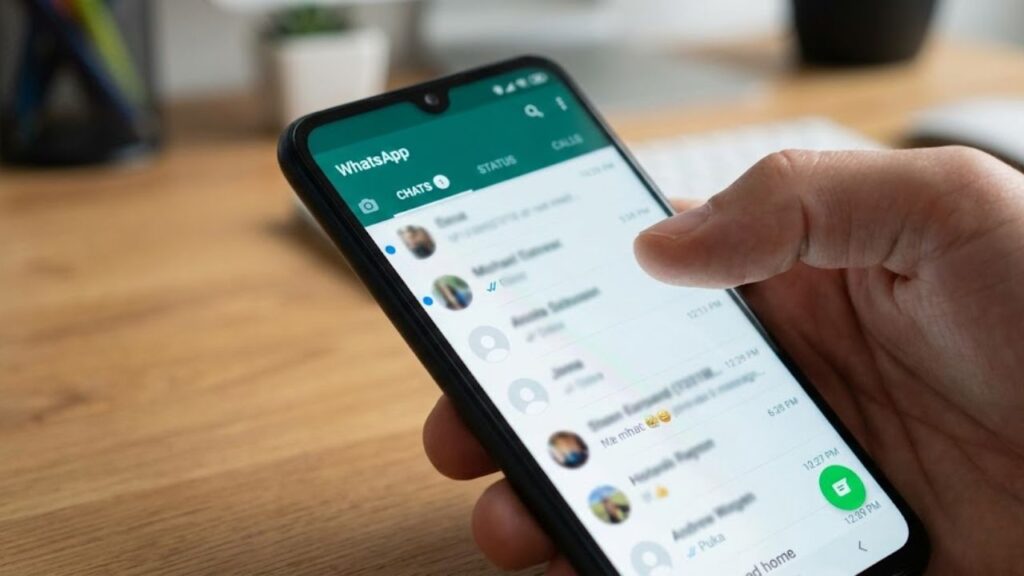
You open WhatsApp “just for a second” while on the metro. As soon as you check, a flood of messages appears, but your eyes are drawn to that tiny blue dot next to a chat. It’s a small detail, yet it instantly causes a spike of stress. You weren’t planning on replying, only scrolling, but now you’re debating whether to tap and risk a full conversation, or ignore it and feel guilty. That dot feels like an invisible nudge, or sometimes, like a subtle reproach. It whispers: “You owe someone your attention.”
The True Impact of the Blue Dot in WhatsApp
On the surface, the blue dot in WhatsApp seems harmless. It simply signals an unread update—typically a new Status, channel post, or a chat you haven’t opened yet. On calm days, it’s barely noticeable, but on busy days, it becomes a glaring reminder of unfinished tasks in your social life. It silently sits next to conversations until your mind perceives it as something urgent, not just a small graphic. This shift is where the trouble starts: your attention gets hijacked by a single color.
How the Blue Dot Hijacks Your Focus
Imagine this: you’re at work, concentrating on a document. Your phone lights up: WhatsApp. You don’t even open the message, just notice the blue dot beside a Status tab and a channel you rarely follow. Before you know it, your fingers move instinctively. A few taps later, you’re watching a colleague’s vacation videos, followed by a meme from a school friend, and then an “exclusive update” from a brand. Ten minutes slip by unnoticed. You didn’t “choose” to watch any of this; you only wanted the dots to disappear, to stop that nagging feeling in your mind.

Why the Blue Dot Feels So Powerful
The reason that tiny badge feels so compelling lies in the way it engages with your brain’s systems. Bright indicators, like the blue dot, work similarly to notification bubbles on your home screen. Your brain is wired to dislike unfinished business, even something as trivial as an unread Status. So, you clear it. And tomorrow, you do the same. It’s a loop where one pixel sparks a habit you never consciously asked for.
How to Turn Off the Blue Dot on WhatsApp
The good news is that you can reduce or completely eliminate the blue-dot effect with a few easy steps. On WhatsApp, this typically involves cutting down on “unread” notifications. On Android, start by opening WhatsApp, tap the three dots in the top right, go to Settings, and then Notifications. From here, you can adjust message alerts, group notifications, and other visual cues that often trigger the blue-dot cycle.
Adjusting WhatsApp Notification Settings on iPhone
For iPhone users, go to WhatsApp, tap Settings in the bottom right, and select Notifications. From there, you can turn off unnecessary features like preview banners, excessive sounds, and vibration alerts. The fewer signals your phone sends, the less that blue dot will feel like an alarm.
Mute Status Updates and Channels
Many people overlook that some blue dots come from Status updates and channels, not just personal chats. If you rarely check Status updates or have little interest in channel posts, that’s where to begin. On the main WhatsApp screen, swipe to the Updates tab. For contacts whose Status you never watch, long-press their name and mute their Status updates. For channels constantly triggering that blue dot, open the channel, tap its name, and disable the notifications.
Mark Chats as Read or Archive to Reduce Pressure
Another simple but often ignored setting is marking chats as read or archiving them when you know a response will take time. By tapping and holding a conversation, you can choose “Mark as read” or “Archive.” This removes the visual pressure, letting you handle the conversation when you’re ready, without pretending you’ll respond immediately.
Small Actions for Digital Peace
Sometimes, achieving digital peace doesn’t require a new feature, but the courage to say: “This can wait.” By disabling or reducing the impact of the blue dot, you’re making a subtle yet meaningful statement about your time. You’re asserting control over when you’re available. You’ll still receive messages and updates, but you’ll stop viewing every notification as an emergency that needs to be addressed immediately.
Key Strategies to Control WhatsApp Interruptions
To regain control over WhatsApp’s impact on your life, mute unwanted Status updates and channels, archive chats, and adjust your notification settings. These small tweaks will help you create healthier digital habits and reduce stress. Instead of feeling compelled to check every new message or update, you’ll start choosing when to engage, rather than being pulled in by a visual cue.
Summary of How to Reduce WhatsApp Stress
- Mute Status and Channels: Cut down on unnecessary notifications for a calmer experience.
- Archive or Mark as Read: Take control of when you respond to messages.
- Adjust Notifications: Tweak WhatsApp’s notification settings to minimize distractions.